Enterprise-Grade PC Security Solution

OfficeKeeper

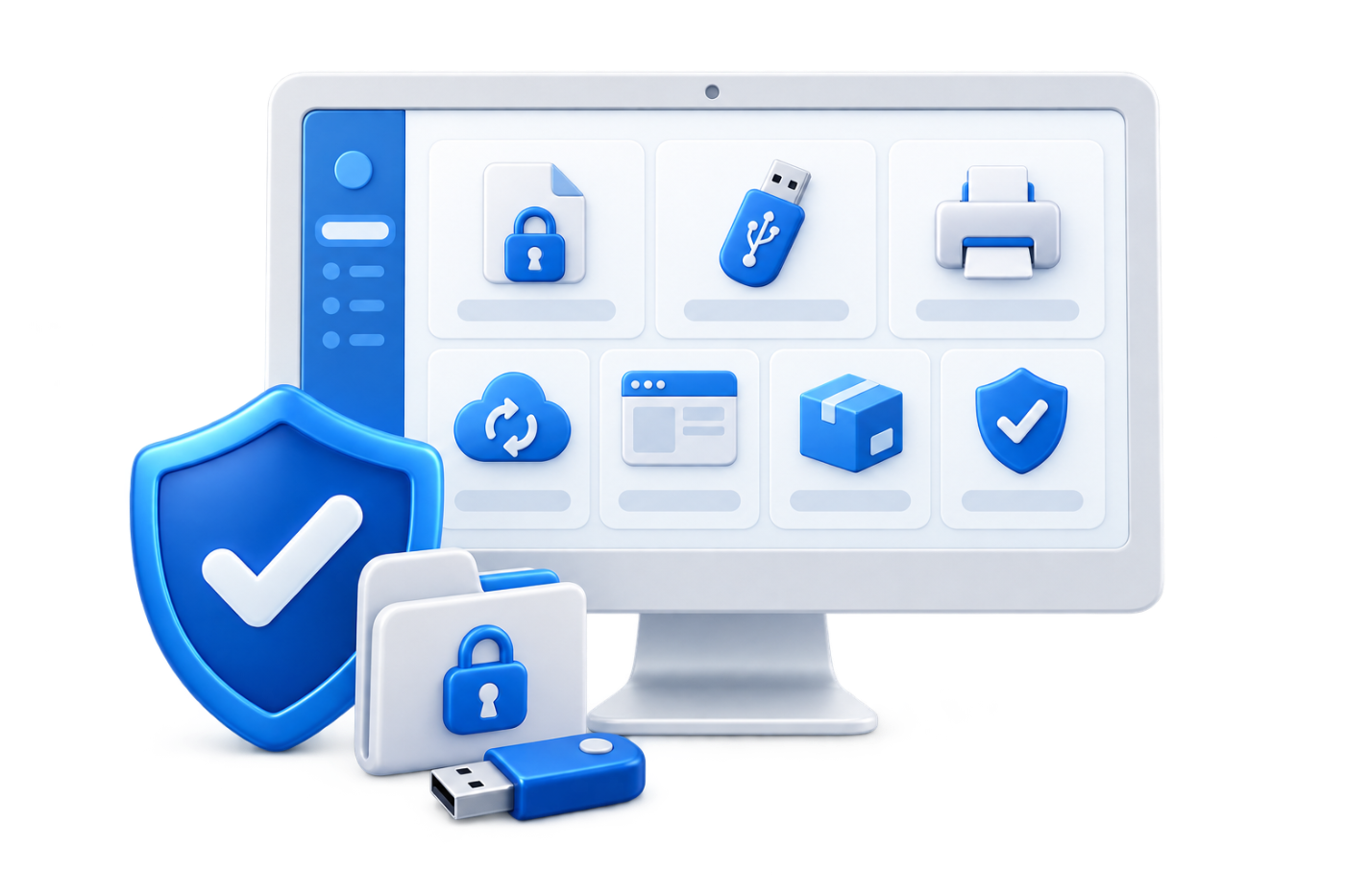
OfficeKeeper 3D illustration of PC security and corporate data protection

OfficeKeeper: Korea's Leading Security Solution with the Highest Market Share

  • 7-in-1 Security Platform
  • Industry-Leading Adoption Rate
  • Flexible Deployment Options

Core Functions

Solve Your Corporate Security Issues with OfficeKeeper's 7 Key Features

Data Loss Prevention (DLP)

The Data Loss Prevention (DLP) module controls various information leakage pathways and maintains comprehensive logs and original files on the server, preventing data breaches and providing evidence when incidents occur.
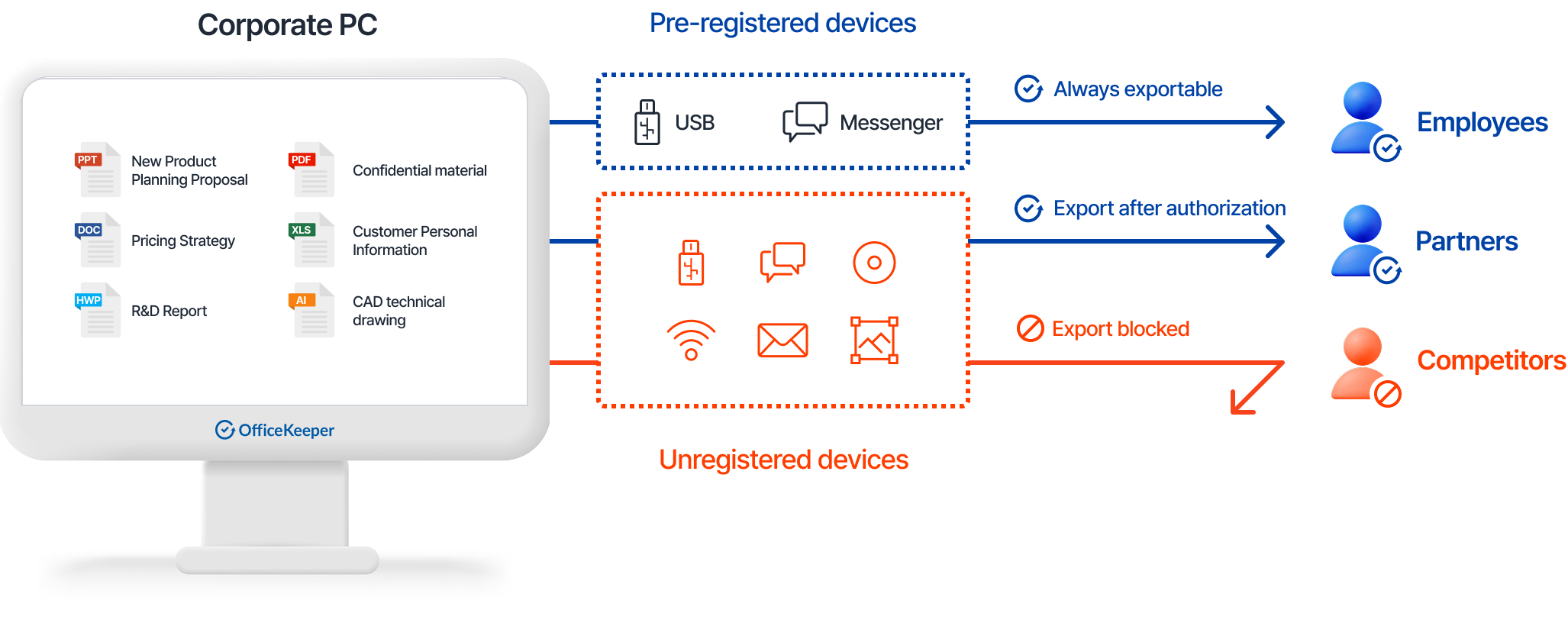
Data Loss Prevention Process
Explore features & administrator controls

Removable Storage Media Control

Prevent unauthorized copying and export to USB drives, external hard drives, smartphones, and optical media

Internet File Attachment Protection

Control file attachments via email, cloud services, web browsers, and other internet-based channels

Software File Export Control

Prevent unauthorized exports through messaging applications, remote control software, web storage, and other programs

Wireless Connection Management

Block unauthorized internet access through WiFi and Bluetooth connections

Screen Capture/Shared Folder Protection

Prevent information sharing through screen capture applications and network shared folders
Comprehensive Logging and File Storage

Maintain detailed logs and original files for all file sharing and export attempts

Data Loss Prevention Process

Data Loss Prevention Process

Administrator Capabilities

  • Establish department and user-specific data protection policies
  • Configure permanent export permissions for authorized devices
  • Manage temporary export approval requests
  • Monitor all file distribution activities with detailed reporting
Sensitive Information Management

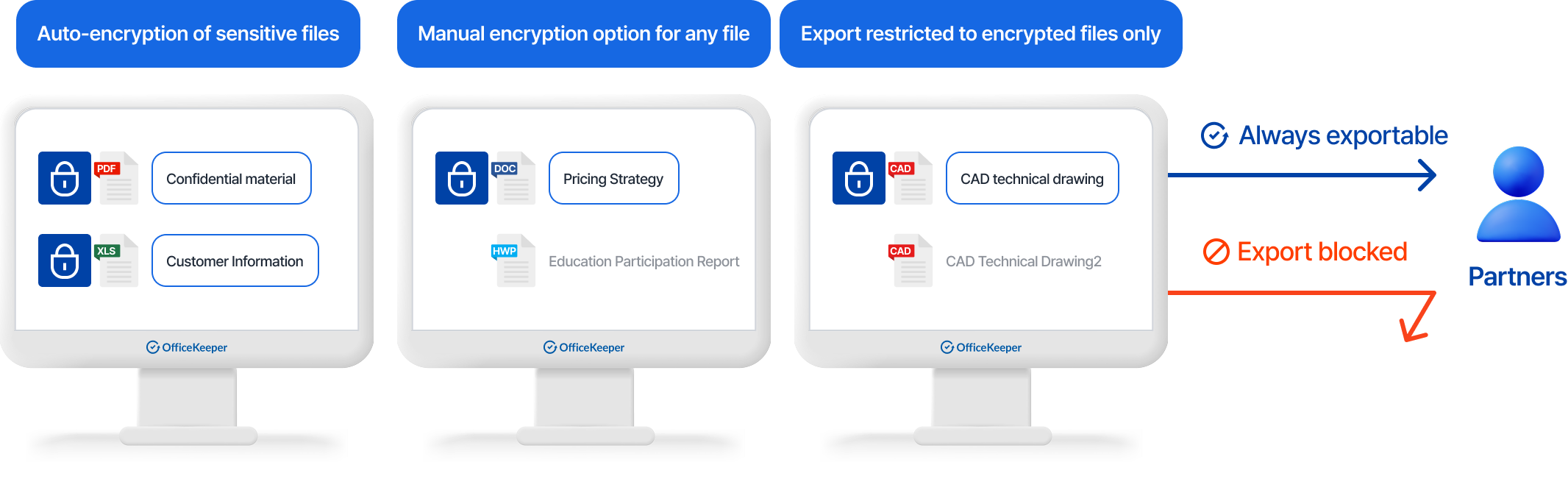
Detect, encrypt, and control sensitive information stored on corporate PCs, including personal data and company confidential information.

Sensitive Information Management Process
Explore features & administrator controls

Real-time/Scheduled Scanning

Administrators can scan employee PCs for sensitive information in real-time or according to defined schedules

Automated Encryption/Decryption

Automatically encrypt files containing sensitive information detected during scanning processes

Export Control Integration

Prevent export of files containing sensitive information through removable media or internet channels

User-initiated Scanning

Enable employees to scan their own PCs for files containing sensitive information

Sensitive Data Remediation

Edit or securely delete documents containing sensitive information identified through scanning

Flexible Encryption Options

Support both manual and automatic encryption of sensitive documents based on organizational policies

Sensitive Information Management Process

Sensitive Information Management Process

Administrator Capabilities

  • Monitor creation and modification of sensitive documents
  • Enforce automatic encryption policies for sensitive information
  • Control export permissions for encrypted files
  • Define and update sensitive information detection criteria

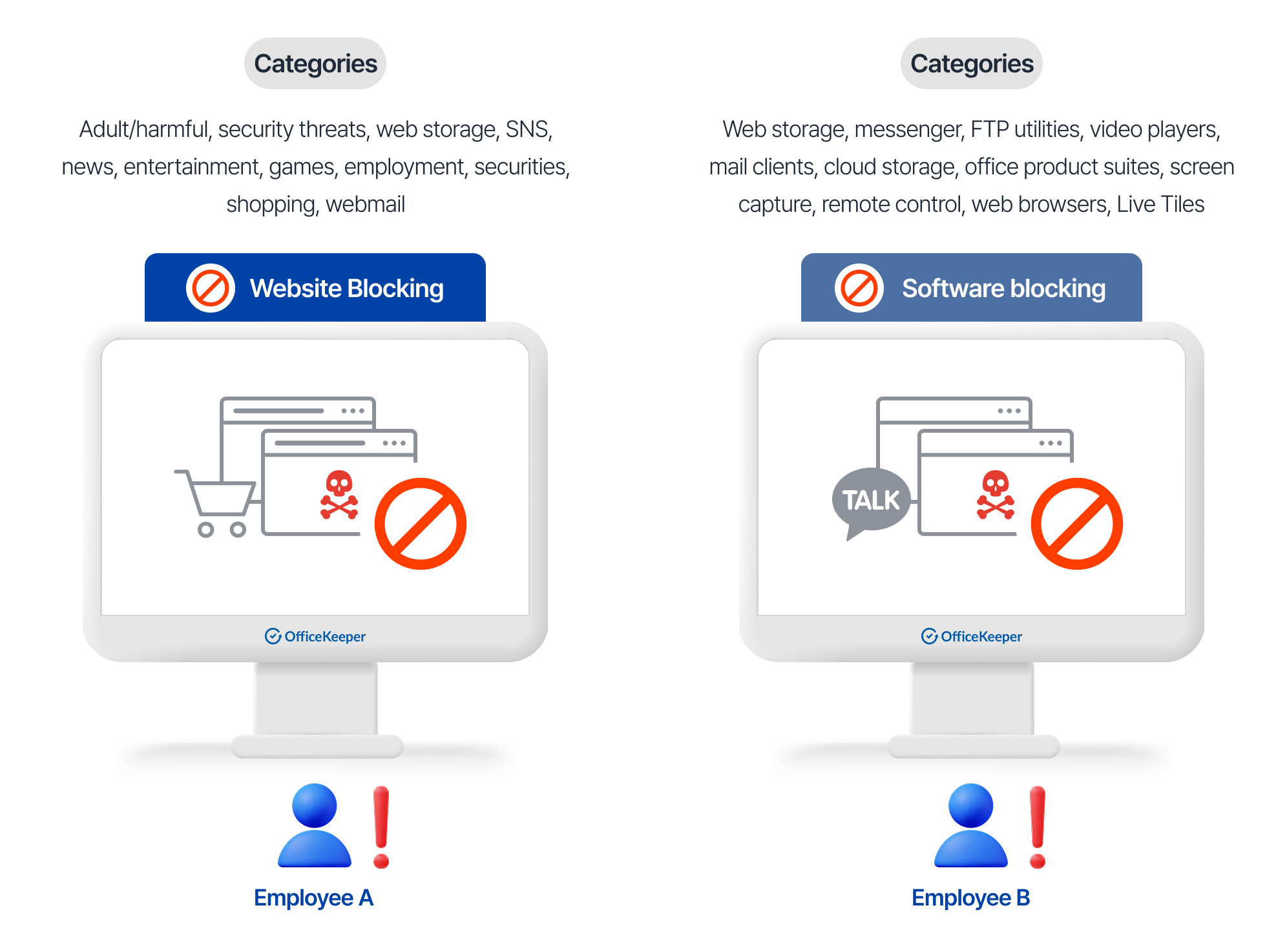
Web/Software Blocking

Control access to potentially harmful websites and restrict execution of unauthorized applications to enhance security and improve productivity.

Web/Software Blocking Process
Explore features & administrator controls

Website Access Management

Block malware distribution, phishing sites, and other security threats while managing business and non-business websites.

Application Control

Control software categorized into functional groups and prevent unauthorized execution.

Web/Software Blocking Process

Web/Software Blocking Process

Administrator Capabilities

  • Configure department and user-specific access policies
  • Block known security threat sites such as phishing websites
  • Restrict execution of non-work-related software
  • Monitor all web and application activity through centralized reporting

Print Security

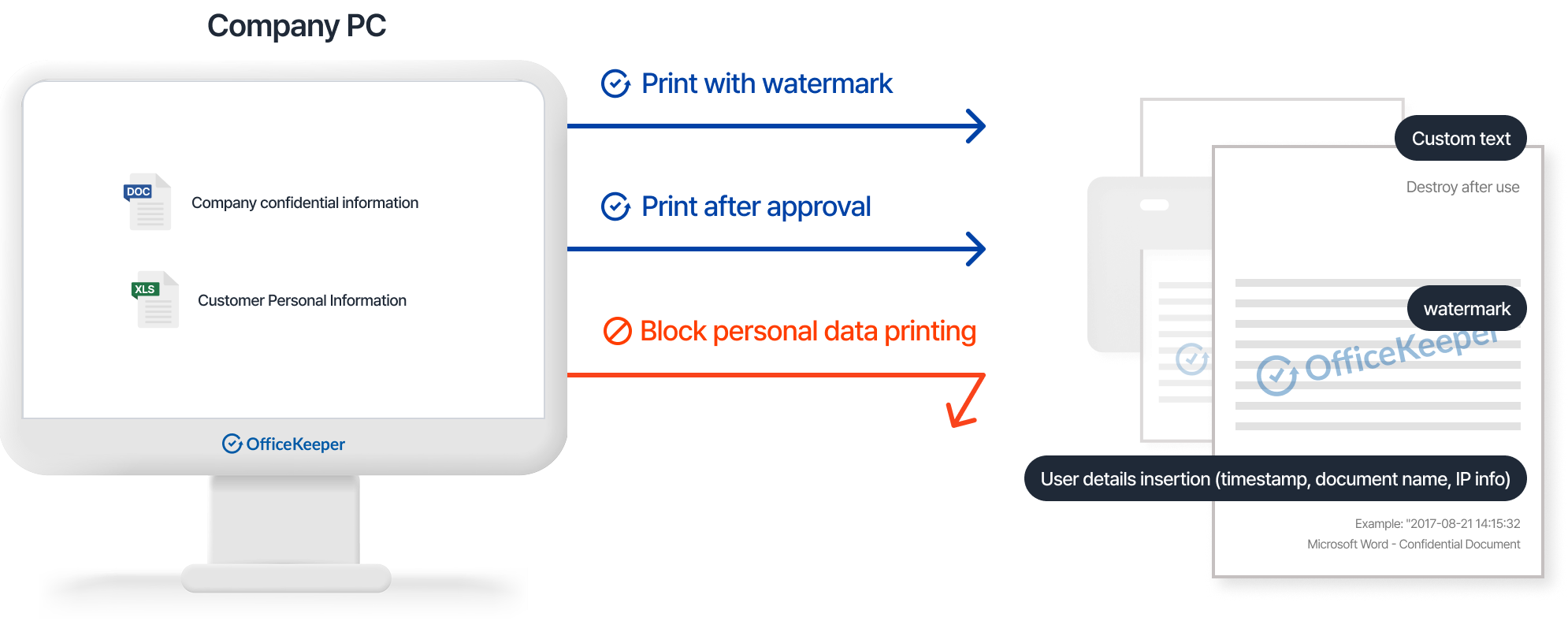
Prevent information leakage through comprehensive print controls and document watermarking while reducing costs through detailed print activity monitoring.

Print Security Process
Explore features & administrator controls

Print Control

Apply print restrictions based on department, user identity, document content, sensitive information, or keywords.

Print Authorization Workflow

Request exceptions to print restrictions or watermarking requirements through an approval flow.

Document Watermarking

Apply customizable watermarks, printer information, and user identification to printed documents.

Comprehensive Logging

Record detailed information including printer data, sensitive information detection, and policy enforcement.

Print Security Process

Print Security Process

Administrator Capabilities

  • Documents can be printed with watermarks applied
  • Documents can be printed after receiving approval
  • Documents containing sensitive information are automatically blocked from printing

Document Backup

Protect against data loss by automatically backing up files stored on corporate devices and maintaining records of exported files, providing ransomware protection and compliance support.

Document Backup Process
Explore features & administrator controls

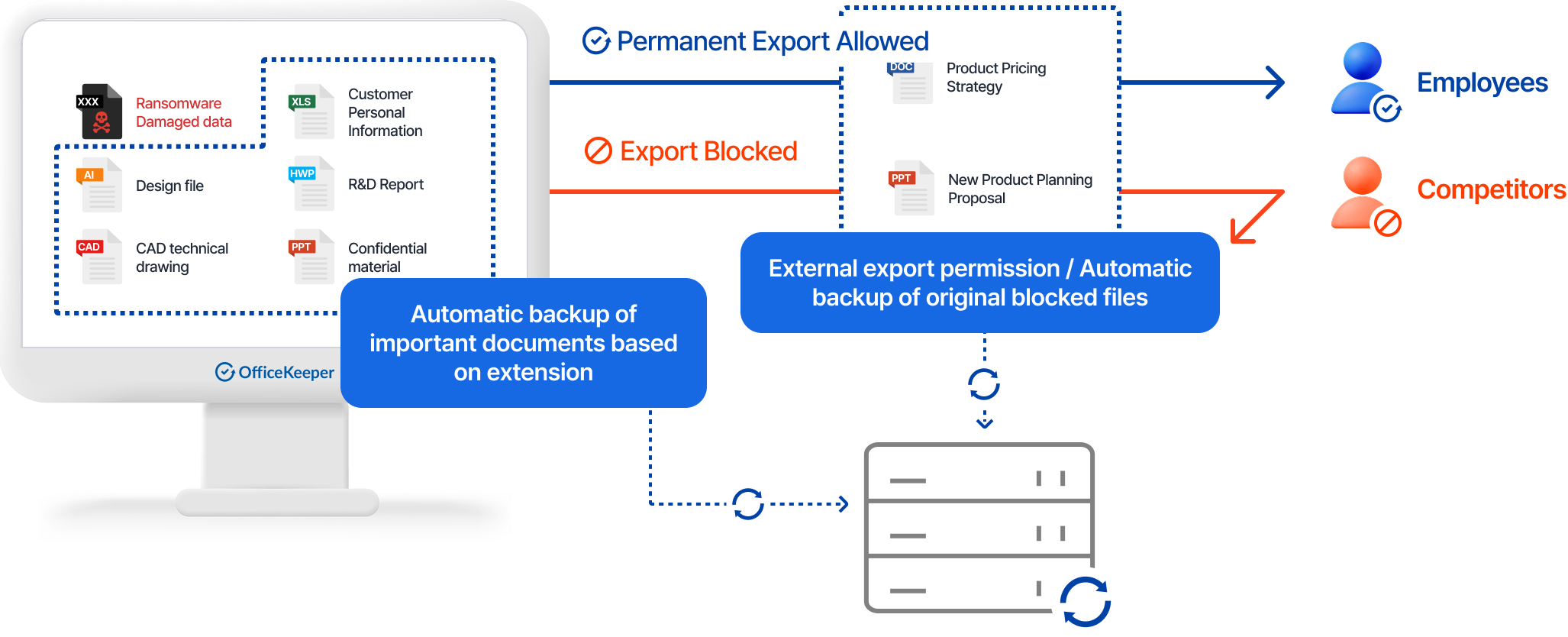
Automatic Backup of Critical Documents

Back up important documents stored on company PCs according to file types and policy rules.

Export/Print Activity Backup

Automatically preserve original files when documents are exported via removable media, email attachments, or printing.

Version Management

Maintain up to 10 versions of each file based on modification timestamps.

Data Recovery and Compliance

Restore multiple files to desired versions when data is lost due to ransomware or other incidents.

Document Backup Process

Document Backup Process

Administrator Capabilities

  • Configure department and user-specific backup policies
  • Establish file type-based backup rules
  • Monitor backup history and storage utilization
  • Restore files to original state or specific versions as needed

PC Security Assessment

Evaluate and enforce security standards across the organization to maintain optimal protection for all company devices.

PC Security Assessment Process
Explore features & administrator controls

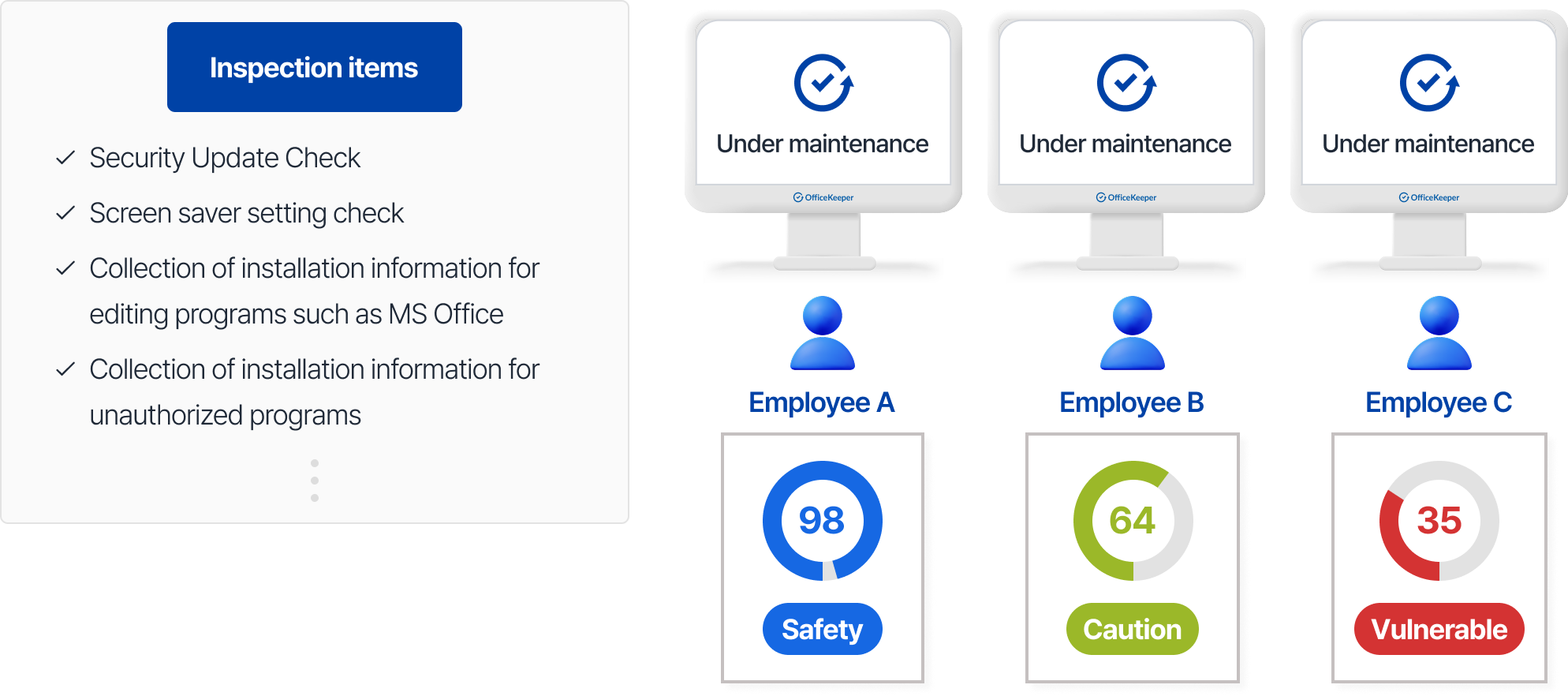
Comprehensive Security Standards

Apply 17 security items recommended by the National Intelligence Service, including security updates and account settings.

Security Status Monitoring

Assess vulnerabilities of company PCs in real-time or according to defined schedules.

Automated Remediation

Automatically correct security issues that don't meet organizational standards.

Security Reporting

Generate detailed reports on company-wide security status with numerical scoring.

PC Security Assessment Process

PC Security Assessment Process

Administrator Capabilities

  • Schedule regular security assessments
  • Enforce automated remediation for policy violations
  • Monitor organization-wide security posture through scoring reports
IT Asset Management

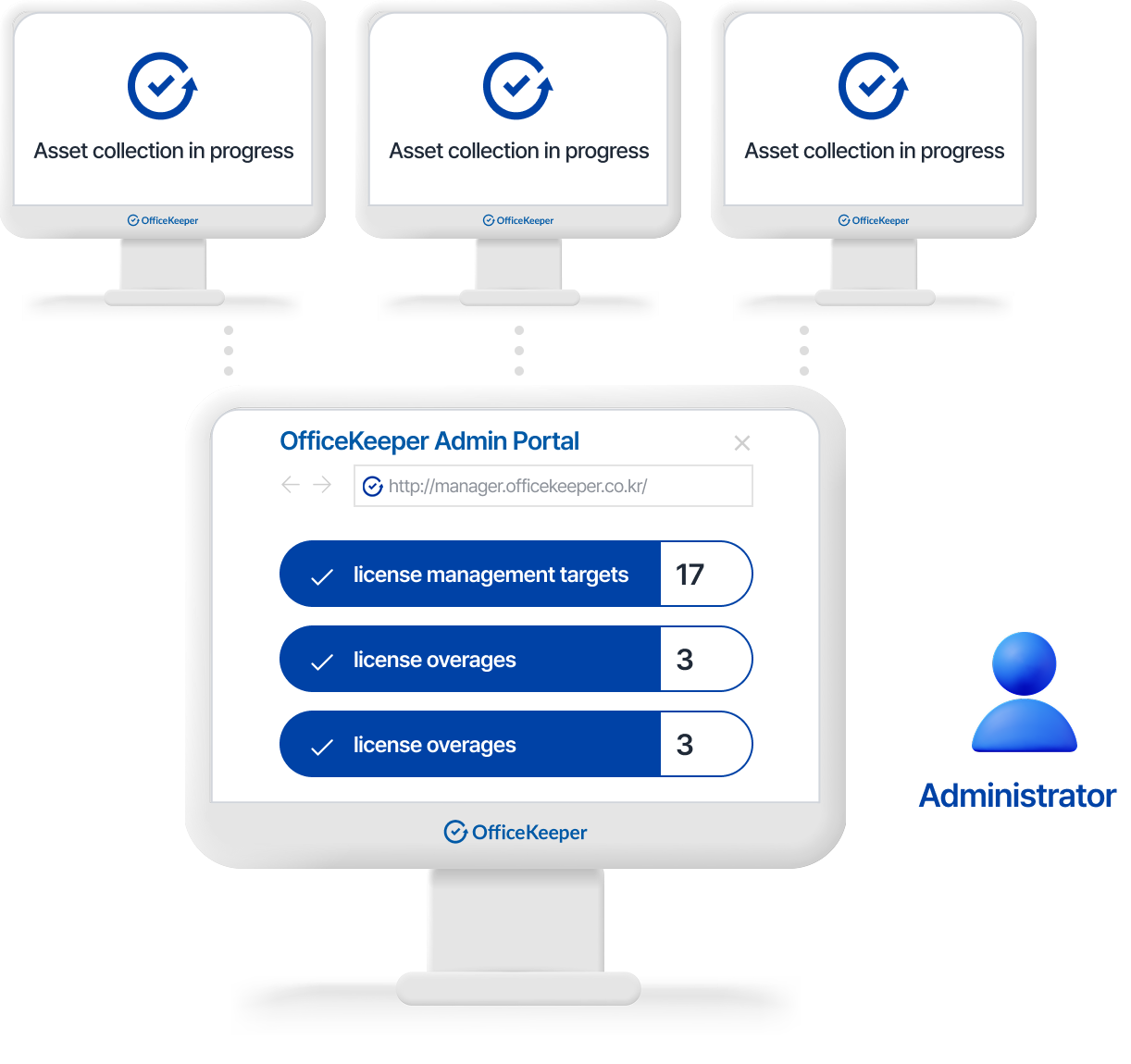
Enhance administrative efficiency with comprehensive management functions for hardware inventory, software licensing, device tracking, and power management.

IT Asset Management Process
Explore features & administrator controls

Hardware Inventory Management

Track PC and laptop status with complete deployment history, storage device changes, and hardware modifications.

Software License Management

Track software installations across the organization and identify license compliance issues.

Device Location Tracking

Monitor device location through IP-based tracking and maintain device movement history.
Network Usage Monitoring

Track IP address assignment and usage patterns and monitor network configuration changes.

Endpoint Security Management

Implement automatic screen locking and enable remote device locking, sleep mode, or shutdown.

Resource Utilization Monitoring

Track computer usage patterns and monitor device power state history.

IT Asset Management Process

IT Asset Management Process

Administrator Capabilities

  • Automatically collect and manage IT asset information
  • Track hardware inventory and software license compliance
  • Monitor device location and usage patterns
  • Control endpoint power settings remotely

Advantages

Why Choose OfficeKeeper

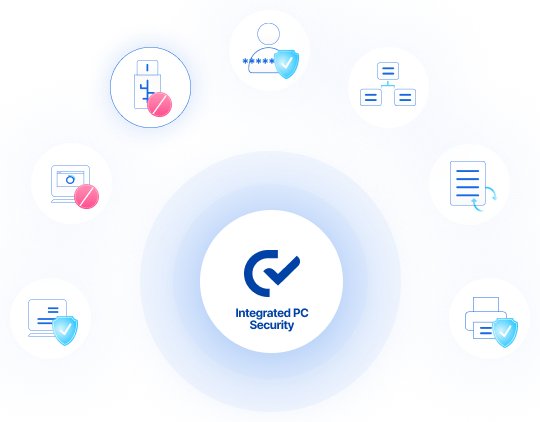
7-in-1 Security

Manage 7 Security Functions in 1 Agent!

Data Loss Prevention

Control file leakage through external media and communications.

Sensitive Information Management

Encryption and export control of confidential information and personal data documents.

Web/Software Blocking

Block access to non-work-related software and potentially harmful websites.

PC Security Assessment

Diagnose PC vulnerabilities based on 17 security standards.

IT Asset Management

Manage software licenses, hardware inventory, and other IT assets efficiently.

Document Backup

Automatically back up files stored on PCs and exported originals.

Print Security

Prevent information leakage through print controls and document watermarking.

The Value of OfficeKeeper

Customer Testimonials

Implemented in just one day when we urgently needed it for a security audit

The ability to manage remote branch offices is invaluable

I've implemented it at every organization I've joined

Provides exceptional support for administrative responsibilities

Responsive technical support and robust security capabilities

We achieved both cost efficiency and effective security management

Reference

Trusted by Enterprise Leaders

Interested in OfficeKeeper?

Experience Korea's Security Excellence

Talk to our global team
Trusted by 14,000+ Enterprises Since 1994

Connect with us to discover how our integrated protection can secure your enterprise from email to endpoint.